

Usage Terms and Conditions of BRIDGE Business Services (Internet and Mobile Banking)
July 3, 2026
INTRODUCTION
These Terms and Conditions for BRIDGE Business Services (the “Terms and Conditions”) govern the operation and usage of BRIDGE Business Services and Application known as the “BRIDGE Business Digital” where customers can access to the use through Web browser application & Mobile Application. The Terms and Conditions shall form an agreement between you and BRIDGE and set out the Terms and Conditions governing your access to and usage of BRIDGE Business Services (Internet and Mobile Banking).
Please note that this is an important document that you should read and understand carefully before accepting the Terms and Conditions and deciding to use BRIDGE Business Services (Internet and Mobile Banking). If you do not understand, or you are unsure about any aspect of these Terms and Conditions, please do not hesitate to contact us via BRIDGE Bank hotline 098 202 999/1800 202 999 or email: contactcenter@bridgebank.com.kh.
By signing on the BRIDGE Business Service Form and/or clicking “Accept”, it means that you have read, understood, acknowledged, accepted, and irrevocably agreed to be bound by the Terms and Conditions and other Terms and Conditions of the products and/or services mentioned herein. To the extent such other Terms and Conditions of the products and/or services and the Terms and Conditions are in contradiction, the Terms and Conditions hereof shall prevail unless such other Terms and Conditions are expressed to apply instead to these Terms and Conditions.
- Scope
These Terms and Conditions apply to all BRIDGE’s existing and new customers who wish to use BRIDGE Business Services (Internet and Mobile Banking). Please note that any other Terms and Conditions related to your corporate account and relationship with BRIDGE will continue to apply and remain valid (unless specified otherwise in these Terms and Conditions).
- Definition
- “BRIDGE” refers to BRIDGE Bank Plc, a commercial bank licensed by the National Bank of Cambodia to carry out banking operations in the Kingdom of Cambodia.
- “BRIDGE Digital Channel”, and “BRIDGE Digital Banking” refer to the bank products and services made available to service BRIDGE’s customers electronically including but not limited to BRIDGE Business Services (Internet and Mobile Banking), Corporate internet banking, ATM Terminal, and Cash-in Terminal, etc; the BRIDGE enable from time to time in the future.
- “Account(s)” refers to all types of products and services of BRIDGE’s loan deposit and saving accounts, including but not limited to all term accounts, non-term accounts, including individual, joint individual, corporate account, or other savings account that BRIDGE may create and implement from time to time in the future.
- “Default Account(s)” refers to the account(s) set up by you and/or by the bank’s technology mechanism logic for the purpose of providing convenience and seamless experience to you while you are using our services. However, you can change such default account at any time through available service channels allowed by the bank including your BRIDGE Business Services (Internet and Mobile Banking), bank branch office, and so on.
- “Account Balance” refers to your available balance and/or balance of funds of your BRIDGE bank account(s) in the bank system.
- “BRIDGE Business Service” is an electronic banking service provided by BRIDGE Bank to empower corporate customers to do banking anytime, anywhere on the Internet. With BRIDGE BUSINESS, our corporate customers will be experiencing a whole new banking experience where customers do not need to wait in long queues at a branch or be restricted by normal banking hours.
- “BRIDGE Digital Banking channel” or “BRIDGE Digital Banking Services” refers to the performance, operations, or usage of banking transactions that are available online through mobile smartphones, tablets, smart devices (called “device”), etc. throughout the bank’s digital ecosystem and/or under connecting with the bank’s partners and payment networks which it allows customers to do banking transaction such as for checking account balance, account detail or transaction inquiry, initiating fund transfers, mobile top-up, change PIN Code, payments and the other transaction types which updated and enable from time to time by the bank.
- “User Credential” or “Security Credentials” refers to your BRIDGE Web & App’s user ID and Password or any other confirmation code used to authenticate the ownership of the BRIDGE Business Mobile Banking including One-Time Password (OTP), Biometrics such as Face ID and Fingerprint.
- “Login Credential” or “Security Credential” refers to all secret information provided by the bank and created by the customers which shall be used as part of authentication and verification during the processes of accessing the BRIDGE Business Services (Internet and Mobile Banking) including but not limited to user ID, registered phone number, National Identification Number, account number, card number, login PIN or password, OTP, other two-factor-authentication code, etc.
- “OTP” refers to a 6-digit numeric code that is sent to the customer’s registered phone number in the bank system(s). The code is used as a real-time verification of the ownership of the bank account(s) and/or request to access the bank’s digital banking services.
- “PIN” or “Password” or “Login PIN” refers to the 6 digits numeric personal identification number of BRIDGE Business Mobile Banking and Cards. It is set by the customers and used for verification to access BRIDGE Business Services (Internet and Mobile Banking), and/or the authorization of any of your transactions transacted through BRIDGE Business Services (Internet and Mobile Banking) and Cards at any time.
- “We, us, ours” refers to BRIDGE Bank Plc.
- “You”, “Yours”, “Your”, and “Customer(s)” refer to the customer who is a subscriber who has registered the access as well as uses of the BRIDGE Business Services (Internet and Mobile Banking) and also means the account holder and non-BRIDGE account holder that acquire one-off services from BRIDGE.
- “Biometric Identifier” and “Biometric” refer to a fingerprint, facial data (known as Face ID), and any other means by which a mobile device manufacturer allows a user to authenticate their identity for the purposes of unlocking their mobile device and access to the specific applications including BRIDGE Business Mobile Banking installed in the device.
- “CIF number” and “CID number” refer to a unique customer identification number used in the BRIDGE Bank’s system that you receive during your first BRIDGE account opening with the bank.
- “Content” refers to any information, images, links, sounds, graphics, video, software, or other materials, including quotes, news, and research data, made available through BRIDGE Services (Internet and Mobile Banking) and/or published by BRIDGE Bank relating to the bank’s digital banking services.
- “Fixed Deposit Certificate” and “Fixed Deposit Digital Certificate” refer to an informational electronic document of your Fixed Deposit Account details opened via BRIDGE Business Services (Internet and Mobile Banking) or at branches.
- “Electronic Statement (e-Statement)”, “Statement”, and “Bank Statement” refer to a consolidated and list of banking statement that reflects BRIDGE’s records for a specific period of time of Customer’s Account which is available for viewing and/or downloading via BRIDGE Business Mobile Banking. The Electronic Statement is for informational purposes only.
- “Jailbreak device” or “Root device” refers to a smartphone or other mobile device that the original device’s software or operating platform is modified to remove such restrictions imposed by the device’s manufacturer or operator to allow the installation of any unauthorized software.
- “Mobile Operator” refers to a participating mobile telephone network operator.
- “Notification” refers to and includes SMS and in-app push notifications sent to you on different occasions related to banking transactions or other administrative alerts and notifications sent by the bank.
- “Payments” refer to any payment transaction initiated by you through BRIDGE Business Services (Internet and Mobile Banking) to pay to the services provider, billers, and vendor which it will debit your eligible Account’s balance; for example, payment to your electricity service provider and so on.
- “Personal Information” refers to the personal information provided by you to BRIDGE, including but not limited to your full name, national identity number (NID or passport), date of birth, phone number, email, addresses, etc.
- “BRIDGE Partner(s)” refers to a legal entity legally licensed by the government ministry to operate financial services or non-financial services in Cambodia that is signed a partnership agreement with BRIDGE in connection with business relationship collaboration for collecting of payment or bilateral and interoperability transfer under a certain legal arrangement.
- “Scan QR” or “Scan Pay” refers to any QR code scanning transaction enabled through BRIDGE Business Mobile Banking that allows users to scan and pay at the BRIDGE PAY point of sale network or at other BRIDGE’s participating payment network to process various types of transactions including but not limited to bill payment, purchase, and fund transfer.
- “Transfer” and “fund transfer” refers to any fund transfer whereby BRIDGE becomes a sending or receiving bank on behalf of you on any transmitting of the fund made to/from you which is including but not limited to an intra-bank transfer, inter-bank transfer, and oversea transfers, etc.
- “Transaction” or “Banking Transaction” refers to any financial record or operation made or performed by you or any person purporting to be you, or any person purportedly acting on your behalf, with or without your consent, including but not limited to bill payment, phone top-up, purchase, fund transfer, and any other bank transactions, etc.
- “Transaction History” and “Transaction record” refer to a record of all the transactions performed within your BRIDGE Bank Account within a specific period.
- “Username” refers to an identification of you for accessing BRIDGE Business Services (Internet and Mobile Banking).
- “Authorized person or Signatory” means any person you designate in writing (including electronically) as having the authority (either singly or jointly, etc.,) that legally represent the customer to issue any instructions or to act on the customer’s behalf under an Agreement or/and other services Terms and Conditions in relation to BRIDGE Bank Services and/or Accounts.
- “Creator role” this role is requested by the company while onboarding the BRIDGE BUSINESS Service. This user role can only view and initiate transactions. Creator role will be created by Administrator or Bank’s Admin. An example of a “Creator” is usually the finance clerk or admin clerk who will initiate a transaction but does not have the authority to approve the transactions and can only submit financial transactions for approval up to the threshold amount configured by its
- “Verifier/ Reviewer role” this role is requested by the company while onboarding the BRIDGE BUSINESS Service. This user role can only view and verify transactions that have been performed by Creator. Verifier/ Reviewer will be created by Administrator or Bank’s Admin. An example of “Verifier” is usually the supervisor of the Creator to verify their transaction’s input and then circulate for further approval level which is the “Approver”.
- “Approver role” this role is requested by the company while onboarding the BRIDGE BUSINESS Service. This user role can view or approve transactions under his/her approval line. The Approver will only be able to approve with its’ threshold discretionary amount set by the administrator in the system. The approver will not be able to have function/feasibility access to initiate any financial transaction request to prevent risk/fraudulent commitment.
- “Inquirer role” this role is requested by the company while onboarding the BRIDGE BUSINESS Service. This user role can only view accounts and transactions history but not limited to financial and non-financial transactions as per configured by its
- “Business day” means a day on which the bank is opened for serving its customers in accordance with the bank and Cambodian public holiday.
- “Communication” means any transmission of information including any instruction, demand, or notice from the bank to its customers.
- “Base currencies” refers to the transaction currency of which the sender performs the transaction.
- “Cross currencies” refers to the credit currency of which the sender performs the transaction.
- “Pay now” refers to the payment or transaction which is set by the user on the BRIDGE BUSINESS Services (Internet and Mobile Banking) that will be processed immediately after it has been approved by the Approver role.
- “Pay later” refers to the payment or transaction which is set by user on the BRIDGE BUSINESS Services (Internet and Mobile Banking) that will only become effective on a future date.
- “Soft token” refers to the 6-digit authentication requirement which is generated from the BRIDGE Business Mobile Banking. It’s used for logging onto the BRIDGE BUSINESS Internet with the User ID and Password and also, it’s used for approving the transaction.
- “Hard token” refers to the 6-digit authentication requirement which is generated from the hard token device. It’s used for logging into the BRIDGE BUSINESS Internet with the User ID and Password and also, it’s used for approving the transaction. For BRIDGE Business, you will be using soft token only which is generated by BRIDGE Business Mobile Banking.
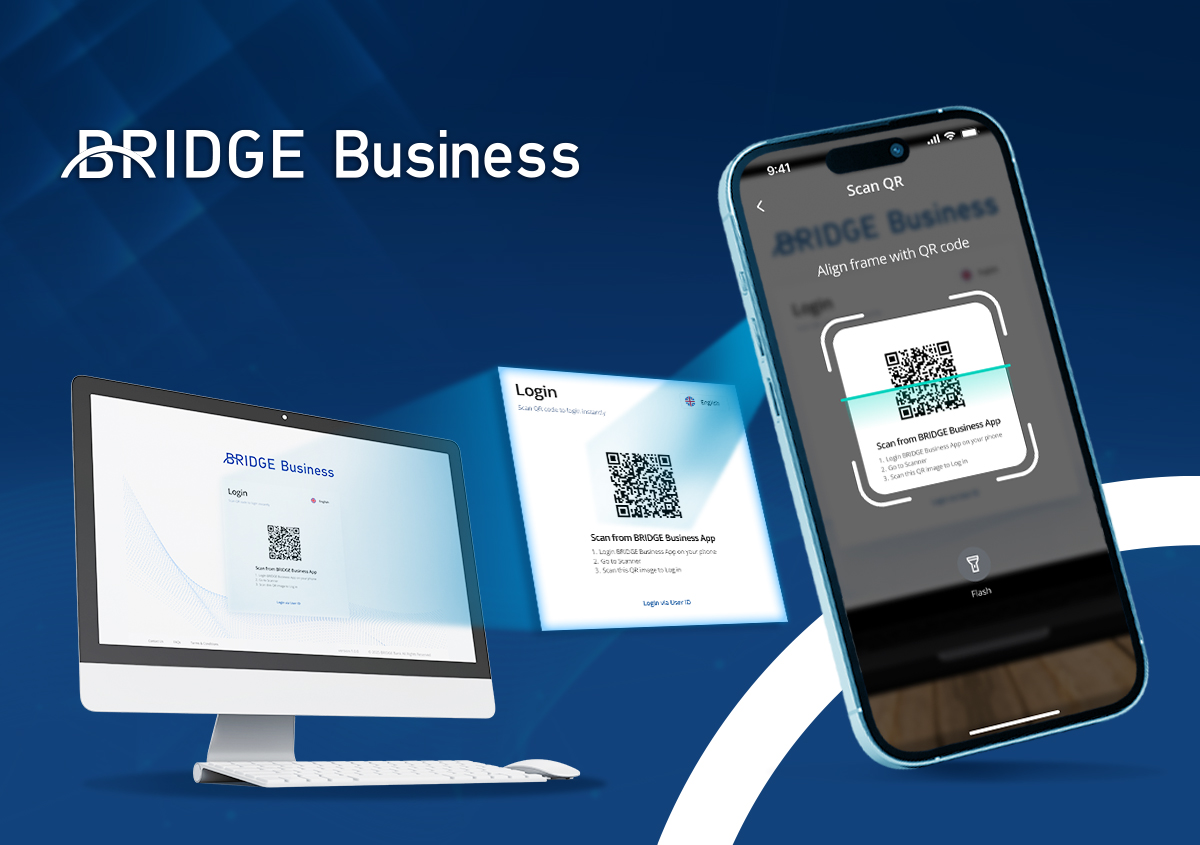
- “BRIDGE Business 2FA” stands for Two Factors Authentication which is used for login and create/approve/decline/authorize both financial and non-financial transactions through QR code or Soft Token.
- “BRIDGE Business Mobile Banking” refers to the mobile app which is developed and connects to BRIDGE BUSINESS Backend System that allows BRIDGE BUSINESS Service’s user access to the service via smart phone or smart device. It’s a digital platform in the form of a mobile app in which customers can access login with User ID & Password to generate a soft token and for approving transactions. Additionally, it can be used with minimal features such as view pending instructions, view account balance/account details, view exchange rate, view profiles, and so on.
- “Transaction date” refers to the date on which the transaction records occurred, operated, or performed by the users through BRIDGE BUSINESS Services.
- “Value date” refers to the date on which the funds from that transaction become available in an account. Mostly, the transaction is processed after the actual transaction date.
- Registration and Eligibilities
- Any type of business account holder can apply for BRIDGE Business Services by completing the relevant BRIDGE Business Services Form and process through any of the Bank’s communication channels from time to time, which include, without limitation, the branch network or relationship manager. For security reasons and to ensure controlled, legitimate, and lawful access to and use of BRIDGE Business Services, the Bank reserves the right to refuse to offer BRIDGE Business to customers at its absolute discretion and without giving any reasons for such refusal.
- Fees and Charges
- Fees and charges may apply when you make certain transactions or engage products and services available in BRIDGE Business Services in accordance with the Terms and Conditions and which they are allowed within the features of the products and services of BRIDGE. You may find the fees and charges of specific products and/or services of BRIDGE at any BRIDGE’s branch, website, and other forms which may be published from time to time by BRIDGE.
- BRIDGE may impose fees and charges for the use of BRIDGE Business Services (Internet and Mobile Banking) from time to time, including but not limited to administrative services and transaction fees. The details of such fees and charges will be displayed during the performance of the transaction. You agree to pay and authorize BRIDGE to debit the applicable fee amount directly from your Account.
- You will incur a data charge of the internet from your mobile service provider for some operations including but not limited to downloading, updating, and using BRIDGE Business Services (Internet and Mobile Banking). All these kinds of charges in relation to the mentioned matters in this clause shall be at your own liability and you may contact your Mobile Operator including their fees & charges for the mentioned matter.
- Interest Payment and Taxes Obligation
- There is no interest payment that will be provided by BRIDGE for the use of BRIDGE Business Services (Internet and Mobile Banking). However, customers may receive the interest payment based on the type of their Account according to its respective product features set out by BRIDGE in which the account is linked and connected with BRIDGE Business Services (Internet and Mobile Banking).
- BRIDGE is not responsible for or liable for any tax payment obligation incurred to you from your payment transaction or applicable taxes arising to you from time to time in the future.
- Usage Limit Amount and Count
- For risk protection and mitigation reasons, BRIDGE reserves the right to set and modify the threshold of the customer’s daily usage limit and transaction limit amount and transaction count from time to time without giving prior notice to the customers.
- The daily limit and transaction limit amount and transaction count will be set for every transaction type and made available through any channels that BRIDGE deems best and may fit including but not limited to the website, official social media, branch office, etc.
- The transaction limit amount and count might be allowed to be modified by customers from time to time through their BRIDGE Business Services (Internet and Mobile Banking) or requested by the customers and modified by the BRIDGE’s staff. Modification fee might be applied according to the bank fee and charge policy.
- Accessibilities, Availabilities, and Connectivity
- Login credentials are required to be input by the customer during activation or login to BRIDGE Business Services (Internet and Mobile Banking).
- You will be required to enter OTP for every different device sign-in to access BRIDGE Business Services (Internet and Mobile Banking) by using your user credentials and your login password. The OTP will be sent to your registered phone number or email.
- BRIDGE may allow your BRIDGE Business Services (Internet and Mobile Banking) access on other devices than your initial device ID used to login to BRIDGE Business Services (Internet and Mobile Banking), provided, however, you are fully responsible for keeping your login credentials and login PIN and password secure and private to only yourself and avoid sharing them with anyone including but not limited to your family members, friends, police, banking staff, etc.
- BRIDGE may, but not required to, deny and/or restrict access to BRIDGE Business Services (Internet and Mobile Banking) if the device’s operating system is not genuine including without limitation to rooted or jail-broken devices and you shall be responsible for your own loss and/or damages occurs as a result of using such devices to access to BRIDGE Business Services (Internet and Mobile Banking). Access to BRIDGE Business Services (Internet and Mobile Banking) will be restricted if your device is manufactured for a specific country in which its operating system is not compatible nor complying with an international standard or BRIDGE technical or security standard.
- BRIDGE may add or remove any features or disable any functions and/or operations in BRIDGE Business Services (Internet and Mobile Banking) or any of its services at any time if any threat is identified as having any impact on the customers, BRIDGE business operations, or for a purpose of performing our periodically system maintenance.
- If your device’s internet connection is disconnected, you will not be able to perform such inquiry or transaction through your BRIDGE Business Services (Internet and Mobile Banking). BRIDGE is dependent on the reliability of its own operational processes and those of its technologies and telecommunications partners in respect of devices networks, and telecommunications. Disruptions to these processes may result in BRIDGE Business services being unavailable too.
- BRIDGE shall not be liable to customers for any incompleteness, unavailability, failure, interruption, suspension, or delay in BRIDGE Business service’s transaction processing including but not limited to the sending of any alert or notification, receipt, or execution of any instructions from BRIDGE due to any reason which is beyond the reasonable control or capability of BRIDGE including internet connection failure and down.
- BRIDGE shall not be liable to nor responsible for such inaccessibility or interruption of BRIDGE Business Services (Internet and Mobile Banking) on any devices which the device’s operation system version is too old or out of date and below the initial supported version by the BRIDGE Business Services (Internet and Mobile Banking)’s coding and programming supposed to support.
- You agree that BRIDGE will not be liable for any damage or loss suffered by you where the service is temporarily unavailable or where the system or equipment necessary for BRIDGE Business Service to operate fails to function in a normal or satisfactory manner, regardless of how this may have been caused.
- Features and Version Update
- BRIDGE reserves the right to enhance and improve BRIDGE Business Services (Internet and Mobile Banking)’s securities, compatibilities, features, and functions from time to time and will frequently release new versions in order to bring new features, risk protection, and other improvements including but not limited to the user interface, user experiences, security features, and other operations. You should update and use the up-to-date version of your BRIDGE Business Services (Internet and Mobile Banking) to enjoy certain features and risk protection that technically require an update.
- If your device’s operating system version is not up-to-date or not compatible with BRIDGE Business Application, it may cause BRIDGE Business Mobile Banking to be unable to perform certain transactions or services.
- General Risk Protection and Prevention
- You shall always be responsible for and accountable for any unauthorized use of, or unauthorized access to your BRIDGE Business Services (Internet and Mobile Banking) that has and/or use your security information and login credentials.
- You should be aware of any risks that might happen to you. Thus, you should be aware of the following precautions:
- Do not share or let other people, including your family members, co-workers or line manager uses your Login Credentials to access your BRIDGE Business Services (Internet and Mobile Banking) or other BRIDGE Digital Banking Services. Please keep your login credentials strictly private to only yourself.
- Avoid accessing your BRIDGE Business Services (Internet and Mobile Banking) on other people’s phones or devices. However, if you have done so, you MUST ensure that you have completely logged out and delete your saved login’s session after handing over the device to the device owner. In addition, you should not use or turn on the biometric identifier (Fingerprint and/or Face ID) to login to your BRIDGE Business Mobile Banking on other people’s phones or devices.
- Set up your phone/device security login password properly and never share it to anyone or let other person unlock your mobile phone/device on your behalf or never let other person set his/her biometric identifier (Fingerprint and/or Face ID) in your mobile phone/device and accessing your BRIDGE Business Mobile Banking.
- Avoid sharing your login PIN or any secret codes, including the 6-digit OTP code which has been sent to your registered mobile phone to anyone, including your family, friends, bank staff and/or institutions regardless of any reason.
- Avoid recording or writing your login PIN, card number, and the other login credential anywhere but trying to memorize as well as keeping it completely private to yourself only.
- Please do not leave your mobile phone/device unattended while you are remaining logged in your BRIDGE Business Services (Internet and Mobile Banking).
- Ensure that your Login Credentials including BRIDGE Mobile Banking’s login PIN and other login credentials remain confidential and strictly private to only yourself. Also making sure that you take the necessary steps against being disclosed to other people.
- Protect your Login Credentials from being seen by other people while you are entering them to access your BRIDGE Services (Internet and Mobile Banking) and account.
- Avoid letting another person set up his/her biometric identifier (Fingerprint and/or Face ID) in your devices that you use to access your BRIDGE Business Mobile Banking.
- Always ignore all emails even though it is the email or requests from BRIDGE requiring you to input your Login PIN, 6-digit OTP code, or other login credentials. Please note that BRIDGE or its staff will never send SMS, emails or calls to request your Login PIN/Password, 6-digit OTP code, or other login credentials. If you encounter such an event, you must report to BRIDGE immediately through the contact center or nearest branch location.
- Always ignore all call requests even though it is said that calling from BRIDGE requires you to tell your Login PIN, or OTP code, or other login credentials. Please note that BRIDGE bank or its staff will never contact you to change, request or reset login PIN/Password or other login credentials from you via phone call, email, SMS or link to click. If you encounter this, you should report to BRIDGE immediately through the contact center or nearest branch location.
- Keep yourself aware of the fake use of similar or the same BRIDGE Business Mobile Banking interface or other means through any electronic devices that may lead you to believe that you are inputting your card number, phone number, and login PIN into your BRIDGE Business Mobile Banking but in fact, you are disclosing your PIN to a hacker, fraudster or other third party hosting a hoax website or skimming application.
- BRIDGE may but is not obligated to continually look into ways to proactively minimize and protect any unauthorized transactions on your Account by using various approaches from time to time, including contacting you after an unusual transaction or series of transactions to confirm that those transactions are genuinely performed by you.
- Your access to BRIDGE Business Service may be suspended if BRIDGE detects or suspects that there are unusual activities that may result from malware or viruses, identity takeover, or phishing. BRIDGE reserves the right to withhold access to BRIDGE Business Service while BRIDGE continues to detect malware or viruses.
- You must notify BRIDGE immediately by calling 098 202 999 or 1800 202 999 upon being aware of either of the following:
- Your login password is known, or you feel that other people know it.
- Your mobile device is lost or stolen.
- You suspect or recognize that there is an unauthorized login to access your BRIDGE Business Mobile Banking.
- You notice that while you are logging in BRIDGE Business Services (Internet and Mobile Banking), you are required to enter OTP again or you have received a 6-digit OTP without your awareness. For this case, there shall be another person attempting to login to your BRIDGE Business Services (Internet and Mobile Banking) by using your login credentials.
- You notice that an unknown device model has been used to log in to your BRIDGE Business Services (Internet and Mobile Banking) when you reviewed the device model in your BRIDGE Business Services (Internet and Mobile Banking)’s manage device function.
- Regularly review the login devices model in your BRIDGE Business Services (Internet and Mobile Banking) (Go to Security à Login history function) and immediately report to BRIDGE bank if it is found any supicious login devices orby calling 098 202 999 or 1800 202 999.
- You must delete BRIDGE Business Mobile Banking from your device or completely log out your BRIDGE Business Mobile Banking’s saved login privilege or delete the biometric identifier (Fingerprint and/or Face ID) registered in your mobile phone before selling it over to the buyer or giving to another person when you are no longer own it.
- Security and Login Credentials
- To use BRIDGE Business Mobile Banking, you are required to use and set up your Login Credentials that consist of valid registered phone number, and login password during first-time registration which they are kept for future login to your BRIDGE Business Mobile Banking.
- During the first registration and activation of BRIDGE Business Mobile Banking, you will be validated with a 6-digit confirmation code called “OTP” and you must set up a secured and memorable password that will be used for subsequent sign in to your BRIDGE Business Mobile Banking.
- You should not set up your login password by choosing any easily guest number or your personal information including any of the following:
- Date of birth
- Same number (e.g. 888888)
- Sequential numbers (e.g., 123456)
- Partial or full of your phone number
- Other easily accessible personal data (e.g., driving license ID, national ID, passport number, employment ID number, or any other number which is easily guessed by other people).
- You should consider having your BRIDGE Business Mobile Banking login password that is different from your Card’s PIN. We strongly recommend you to change your secured password on a regular basis.
- Biometric Authentication: your smartphone/device with biometric (Fingerprint and/or Face ID) compatibility may allow you to enable and use it for authentication when you login to and/or authorize transactions, subject to the maximum limit set by the Bank, in your BRIDGE Business Mobile Banking. BRIDGE Business Mobile Banking neither store nor collect this Biometric ID, it is solely stored in your mobile device only.
- Enable Biometric Authentication: if you enable or use a Biometric Identifier to access your BRIDGE Business Mobile Banking, you must ensure that the devices that you use to access BRIDGE Business Mobile Banking does not store or set on other people’s biometric identifier (Fingerprint and/or Face ID) besides yours; otherwise, you are in breach to the Terms and Conditions. By doing so, you acknowledge that there is a risk to you that they may be able to login to your BRIDGE Business Mobile Banking to view or conduct certain financial transactions, and these transactions will be treated as having been authorized by you with your consent. You shall be solely liable for any financial loss arising from these activities. By enabling Biometric to access your BRIDGE Business Mobile Banking, you will be given options for authentication by using a biometric identifier (Fingerprint and/or Face ID) to be our confirmation to authorize any financial transactions too.
- User Acknowledgement
- You acknowledge, agree, and understand that using BRIDGE Business is intercorrelated with all your BRIDGE Bank Accounts that you have with the bank and all the Terms and Conditions set out herein but have not been specified in your BRIDGE Bank Account’s Terms and Conditions are applied to you too.
- You acknowledge that BRIDGE Business and other BRIDGE Digital Banking services are developed and operated for the purpose of providing customers with seamless and frictionless banking experiences through an electronic mode and you agree as well as understand that the bank or the bank’s system might experience some technical error under certain circumstances or the other human error made by the other customers or BRIDGE bank staff which potentially cause your BRIDGE Bank Account to be credited/received a certain amount of fund. In this case, the bank reserves the full right to block and raise a debit adjustment to collect back. In a case, the amount has been withdrawn by you and/or other people using your Security Credentials, or any other methods performed under your authorization, you agree that you are liable to fully pay back to the Bank upon the Bank’s demand.
- Whenever you initiate certain transactions including but not limited to fund transfer and payment, substitute information relevant to the transaction and beneficiary of the fund will be displayed for your verification and help you to identify the accuracy of the transaction purpose including account number, beneficiary name, payee’s name and customer number/invoice number, and other relevant information of the transaction that you perform. You agree not to share or disclose the information, especially beneficiary information either in full or partial to any third parties. In the event that you share or disclose information in full or in partial, you agree that you will be solely liable for any damage or loss which is suffered by us including consequential loss and regulatory fines which resulted from your sharing or disclosing information either directly or indirectly.
- By opening any Account with BRIDGE, you agree that we are entitled to disclose your Account’s name and your name to other people that attempt to initiate a fund transfer to your Account number. Either they use their BRIDGE Business Mobile Banking or any application that is integrated as BRIDGE’s partner to transfer funds to your Account. In addition, you allow BRIDGE to have your Account number and name displayed on the BRIDGE terminal and BRIDGE partner’s terminal screen when you perform transactions via BRIDGE’s own channels and BRIDGE partner’s network.
- You agree that BRIDGE can share and disclose your name and transactions detail to our partner including but not limited to merchants and the other BRIDGE partners in order to notify and assist them to identify the transaction as their references when you perform any payment and/or purchase transaction by using BRIDGE Business Mobile Banking.
- Bank correction and miscellaneous adjustment: you agree that BRIDGE, with sufficient evidence, reserves the right to cancel or suspend your Account and/or transaction during its financial accounting reconciliation at any time without providing prior notice to you. BRIDGE reserves the right to perform miscellaneous adjustments, either debit or credit adjustments to correct accounting transactions record and financial reports. Under circumstances and accuracy, BRIDGE might not be able to cancel or adjust immediately as per your request because we need to perform all necessary and reasonable investigations into the causes.
- You acknowledge, agree, and understand that the exchange rate and calculation presented in BRIDGE Business Services (Internet and Mobile Banking) when you perform the transaction and/or calculate through the “Exchange Rate Calculation” function on BRIDGE Business Services (Internet and Mobile Banking) shall serve as a reference to the estimated figure only. You acknowledge that the exchange rate may not be presented in real-time, and the exchange rate applied to your transaction is the actual exchange rate and it may be different from the exchange rate presented in BRIDGE Business Services (Internet and Mobile Banking) or our website for some reasons arising from late and/or missed an update including but not limited to cause by human error, etc. In the absence of special instructions given in respect of an Instruction, the Bank may convert all foreign currency credits to the Account into the currency of the Account at its rate of exchange.
- You understand that the balance recorded in your Account will be the current balance as of the time you make the inquiry. However, there may be circumstances, for example, systems failures and technical difficulties, which may show the discrepancy to your Account Balance information dispay in real-time report.
- All instructions sent by you which is either a request for information, a transaction instruction or another form of instruction (referred to as “Instruction”) shall, unless proven otherwise, be deemed to be validly, knowingly and genuinely made by or sent by you or on behalf of you and you acknowledge and undertake that all Instructions sent to the Bank are error free and all information including but not limited to beneficiary’s account number and beneficiary account name are input correctly. BRIDGE is not obligated to verify these details and cannot be held liable for the loss from such Instructions including without limitation to fund transfer.
- All Instructions sent by you or on your behalf are irrevocable and cannot be reversed unless prior approval from BRIDGE is obtained. BRIDGE reserves the right to require the Customer to provide written confirmation or additional information in relation to an Instruction if the Bank deems fit and necessary.
- BRIDGE Business of the liability is expected to be liable when BRIDIGE Business User creates the KHQR code functions. The company’s signatories shall be fully aware upfront that by using this feature,
Creator and Verifier/approver will be able to add and consider that it is eligible by the company’s discretionary policy
- The company is automatically eligible for all T&C surrounding BRIDGE Merchant Service KHQR and so on.
- Notification and Alert
- By registering the BRIDGE Business Service or Installing it on your phone or devices, you acknowledge and agree that BRIDGE may send or may be requested to send an SMS to your mobile device or push a notification to your BRIDGE Business Mobile Banking installed in your mobile phone/device including but not limited to financial transaction alert, security tips alert, marketing and promotional alert and another administration alert in which relevant to your and BRIDGE.
- BRIDGE is not liable for any loss or damage arising from or suffering to you because of any other person seeing, viewing, or accessing the message’s content in full or in partial. All of these, you understand and accept that it is within your control relating to the management of your phone or devices.
- You might incur a charge from your mobile operator because of receiving a message or push notification to your mobile devices and all the charges are your responsibility.
- Default Account
- Default account is developed as part of BRIDGE Digital Banking Services and behave according to its technology behavior and logic. The default account must be one KHR account and one USD account.
- You acknowledge, agree, and understand that BRIDGE Business Services (Internet and Mobile Banking) and other BRIDGE Digital Banking Services shall apply a Default Account in an application or while you are performing transactions for the reason of making your digital banking experience fast and convenient. However, you are allowed to change your default account through your BRIDGE Business Services (Internet and Mobile Banking) from one account number to another anytime and in accordance with the behavior of logic built within the bank’s Digital Banking Services.
- You acknowledge, agree, and understand that the Default Account might be applicable within your BRIDGE Business Services (Internet and Mobile Banking) that is installed within your recent mobile phone/devices and for some circumstances which cause you to see your Default Account number is different when you change the device, and it is because of automatically reset to Default Account rule set by the bank.
- Transparency and Restriction of Acts
- You acknowledge, agree, and understand that BRIDGE Business Services and other BRIDGE Digital Banking Services offered by the bank serve you for the purpose of allowing you to manage and use your Account freely and make you convenient for your banking transaction experiences. Therefore, you agree not to take any advantage of this offering at any time during the use of the services regardless of any forms of conducting your banking transaction or all other unreasonable acts.
- You agree that BRIDGE reserves full right to block and debit back all financial loss incurred to or suffered by the bank arising from all your activities if, in the sole opinion of BRIDGE deems that such acts are fraudulent and/or indicate the intention of taking advantage to gain the financial interest from BRIDGE including but not limited to committing multiple financial transactions or testing with a small amount for gaining as financial income or its equivalent on foreign exchange rate fluctuation, or loyalty point, etc. For example, the customer performing multiple cross-currency fund transfers with a minimal transferred amount more than 5 times and financial loss has incurred to the bank from that act.
- Anti-Money Laundering/Combating of Financing of Terrorism/Sanctions
- You agree that BRIDGE may delay, block, or refuse to process any transaction without incurring any liability if BRIDGE suspects and/or find that:
- The transaction may breach any laws in Cambodia or any other countries that are involved in regulating BRIDGE’s business operations and execution; or
- The transaction may directly or indirectly involve the proceeds of or be applied for the purpose of, unlawful conduct.
- Any instruction from the regulator including but not limited to instruction from the National Bank of Cambodia.
- You agree to provide all information to BRIDGE that BRIDGE reasonably requires in managing risk or complying with applicable laws and regulations relating to financial crime activities and law.
- You agree that BRIDGE may disclose any information relating to you, your transactions, and your BRIDGE Accounts in which your funds are deposited in case any law enforcement, regulatory agency, or court if they require us to do so under any such law in Cambodia or elsewhere.
- You assure to BRIDGE that the acceptance and/or payment of money by BRIDGE in accordance with your instructions will not breach any laws in Cambodia or any other applicable law.
- User Obligations
- You must not use BRIDGE Business Services (Internet and Mobile Banking) for other purposes besides legitimate banking transactions both financial and non-financial transactions relating to your Account. You shall perform transactions in accordance with the Terms and Conditions and must not use BRIDGE Business for any purpose relating to the businesses prohibited by Cambodian laws.
- You must not act fraudulently or maliciously in relation to BRIDGE Business Web & App or any software including but not limited to copying, modifying, attempting to, or hacking into or inserting any malicious code into BRIDGE Business Services (Internet and Mobile Banking) or software. If you commit such actions, you shall be solely responsible under Cambodian laws.
- If you use photos to personalize your BRIDGE Business profile, you must follow certain Conditions as follows:
- The photo’s content must not contain any offensive, related sexual, illegal, or would be considered unacceptable for viewing by other people under 18 years old.
- The photo’s content must not relate to any prohibited copyright or branding that the owner does not allow.
- You must ensure that there are sufficient funds or limits in the Account for the Bank to authorize and execute a transaction instruction. If for any reason the relevant Account is overdrawn, the transaction will not be executed and you shall be liable for any incidental charges.
- Be responsible for and must take all reasonable care to ensure that the information you provide via BRIDGE Business Services (Internet and Mobile Banking) including but not limited to the transaction’s purpose, is true, complete, accurate, and latest.
- Privacy and Confidentiality
- BRIDGE is collecting your personal information, instructions, and transaction details on your Account (collectively referred to as “Information”) so BRIDGE provides BRIDGE Business Service to you. Without this information, BRIDGE may not be able to provide you with such a service.
- By registering the use of the BRIDGE Business Services (Internet and Mobile Banking), you agree that BRIDGE may use and disclose your information to:
- Any person engaged by BRIDGE to carry out or assist its functions and activities.
- Any subsidiary, partners, or payment networks of BRIDGE, and any of BRIDGE’s head office; branches, sub-branches, agents, correspondents, agencies, or representative offices
- BRIDGE’s auditors and professional advisors including its lawyers.
- BRIDGE’s stationery printers who are the vendors of the computer systems used by BRIDGE and to such person(s) installing and maintaining the same and other suppliers of goods or service providers engaged by BRIDGE.
- Any person to whom disclosure is permitted or required by any statutory provision by law.
- Any credit bureau of which BRIDGE, or BRIDGE’s head office, or branches, any other member(s) and/or compliance committee of such credit bureau; and/or
- Any governmental agencies and authorities in the Kingdom of Cambodia and/or elsewhere.
- Block and Unblock BRIDGE Business
- Whenever you want to stop or block access to the BRIDGE Business App, you must inform BRIDGE through BRIDGE’s contact center or visit the nearest BRIDGE’s branch office. The access will be blocked and restricted from BRIDGE’s system within one (01) working day after the receipt of the notification from you. And if you would like to request to unblock the access, you must inform BRIDGE through BRIDGE’s contact center or visit BRIDGE’s nearby branch office.
- Suspension and Termination
19.1 BRIDGE may suspend or terminate BRIDGE Business Service in the event that:
- you fail to comply with the Terms & Conditions;
- in the sole opinion of BRIDGE, we deem that you and/or your authorized user engage in any fraudulent or illegal activity.
- you fail to make any payment due in accordance with the Account, any financing facilities provided to you by the Bank and these Terms & Conditions;
- your account is inactive or has become dormant;
- there is an instruction or requirement from competent authorities to do so;
- for security reasons as the Bank deems appropriate.
- Engages in any illegal activity.
- Found in our unwelcome or blacklisted customer.
- Files for bankruptcy
- BRIDGE believes that the security of the account holder or authorized user’s electronic access or BRIDGE Business Services (Internet and Mobile Banking) may have been compromised.
Suspension or Termination of BRIDGE Business Service shall not affect completion of any Instruction submitted prior to the effective date of the suspension or termination and shall not affect your accrued rights and liabilities prior to any such suspension or termination.
- Liability
- You agree to be liable for all Instructions given to the Bank and/or transaction conducted when you utilize BRIDGE Business Services (Internet and Mobile Banking), except to the extent where there has been fraud or gross negligence by BRIDGE, its employees, or BRIDGE’s partners. When a fraud/suspicious transaction happens, BRIDGE’s Authorization, Risk, and Fraud Management team (our staff) will investigate those transactions to find out the root causes.
- To the full extent permitted by law, BRIDGE is not and shall not be held liable for any direct, indirect, economic, special or consequential loss or damage of any nature, including, without limitation, any loss of business or revenue, loss of profits, loss of opportunity, loss of goodwill, anticipated savings or expenses, in connection with or arising out of the use, inaccessibility of BRIDGE Business Service, system failure and/or failure to act upon an Instruction for any reason beyond the Bank’s control and any intrusion or attack by any person or party on any hardware, software or system used in relation to the BRIDGE Business Service or on the Internet and mobile electronic device, including but not limited to viruses, malware and / or macros or other harmful components or disabling devices.
20.3 BRIDGE makes no representations or warranties regarding the accuracy, functionality or performance of any third-party software that may be used in connection with BRIDGE Business Service or the applications and platforms through which BRIDGE Business Service is offered
- Indemnity
To the extent permitted by law, you agree to indemnify on a full indemnity basis and hold BRIDGE, its employees, agents, representatives and nominees harmless against all actions, claims, proceedings, demands, losses, damages, harms (including direct, indirect or consequential) costs, expenses, charges, taxes, penalties and legal costs and any other liabilities of whatsoever nature which the Bank may incur or suffer by reason of:
- your access to and/or use of BRIDGE Business Services or access to your Account via BRIDGE Business Web and/or App by third parties;
- submission of Instructions;
- the Bank acting upon, delaying to act upon, or refraining from acting upon an Instruction and complying generally with its obligations or enforcing its rights under the Terms & Conditions;
- you do not follow your obligations under the Terms and Conditions herein; or
- acted negligently or fraudulently in connection with the use of BRIDGE Business Service and/or Terms and Conditions.
- Inquiry, Errors, Questions, and Complaints
- Please contact BRIDGE’s contact center 098 202 999 or 1800 202 999 if you need immediate support, inquiry, or has identified that there is a discrepancy or an error has occurred in any transaction, or if you have any questions or complaints.
- In case you need assistance from the head office or branches, BRIDGE’s business hours is from 8:00 AM to 16:45 PM and 5 (five) days a week, from Monday to Friday which may be revised by BRIDGE from time to time.
- Amendment and Notice
- BRIDGE reserves the right to change the Terms and Conditions, and Fees and Charges at any time without prior notice, provided, however, such changes or notice will be made available on BRIDGE’s website at bridgebank.com.kh, display in BRIDGE’s head office or branches, BRIDGE Business Services (Internet and Mobile Banking) or any other means the Bank deems it and you irrevocably agree to be legally bound by such changes.
- You agree and accept that BRIDGE may also use the methods outlined above as a means of providing you with other notices.
- Intellectual Property
All intellectual property used in connection with the provision of BRIDGE Business is owned by BRIDGE. Without BRIDGE’s prior written consent, information provided to you as part of BRIDGE Business shall be for personal use only and shall not be duplicated, disseminated, or sent to any other person or integrated into any other document.
- Governing law
- The Terms and Conditions shall be governed and construed in accordance with the laws of the Kingdom of Cambodia.
- Dispute resolution and jurisdiction
- Customer Dispute with BRIDGE: Any dispute or claim arising out of or relating to the Terms and Conditions or use of BRIDGE Business Service and your relationship with BRIDGE will be resolved by BRIDGE’s Contact Center in compliance with the Customer Suggestion and Complaint Management Policy or another equivalent bank’s standard operating procedures. If the dispute is not resolved within this period, the dispute shall be referred to the exclusive jurisdiction of Cambodian court.
- Customer Dispute with Third Party: Please note that BRIDGE shall bear no responsibility for any of your disputes arising with any third parties in connection with the transaction performed via BRIDGE Business Services (Internet and Mobile Banking) and/or your account.
- Disclaimer
- BRIDGE makes no representations, warranties, or Conditions of any kind, express or implied, with respect to BRIDGE Business Service, including fitness for a particular purpose or any warranty arising by usage of trade, course of dealing, or course of performance. BRIDGE does not represent or warrant that your BRIDGE Business Services (Internet and Mobile Banking) will always be accessible or function.
- BRIDGE shall have no liability for any incidental, indirect, or consequential damages (including without limitation loss of profit, revenue, or usage), or other damages arising out of or in any way connected with the Terms and Conditions. In no event shall BRIDGE have any liability for unauthorized access to, or alteration, theft, or destruction of BRIDGE Business Services (Internet and Mobile Banking) through accident, misuse or fraudulent means or devices by you or any third party, or as a result of any delay or mistake resulting from any circumstances beyond our control.
- Customer’s Declaration
- You declare that all information provided to BRIDGE is correct, true, and the latest. Moreover, you confirm that you have read, understood, and agreed to be bound by the Terms and Conditions governing the use of BRIDGE Business Service including the General Terms and Conditions of BRIDGE.
- You must notify BRIDGE immediately if there is any change in your personal details which you have previously provided to BRIDGE. BRIDGE will not be responsible or liable for any errors or losses suffered by you associated with the changes where BRIDGE has not received prior notice.
Designed by TWD